
Learn the workflow without getting buried in jargon.Start here.
Use the tabs below to jump between Help, Use Cases, Video Manuals, and Color Theory. No scrolling through a wall of text.
Start the 14-day trial.
We will send the invitation after a quick challenge. No credit card needed.
The shortest route to a working mix.
What TiNTLY does
TiNTLY turns the color you see in an image into a practical recipe from the paint tubes on your own palette.
- Click a color in a photo or painting
- Get a recipe based on real pigment data
- Save the result and return to it later
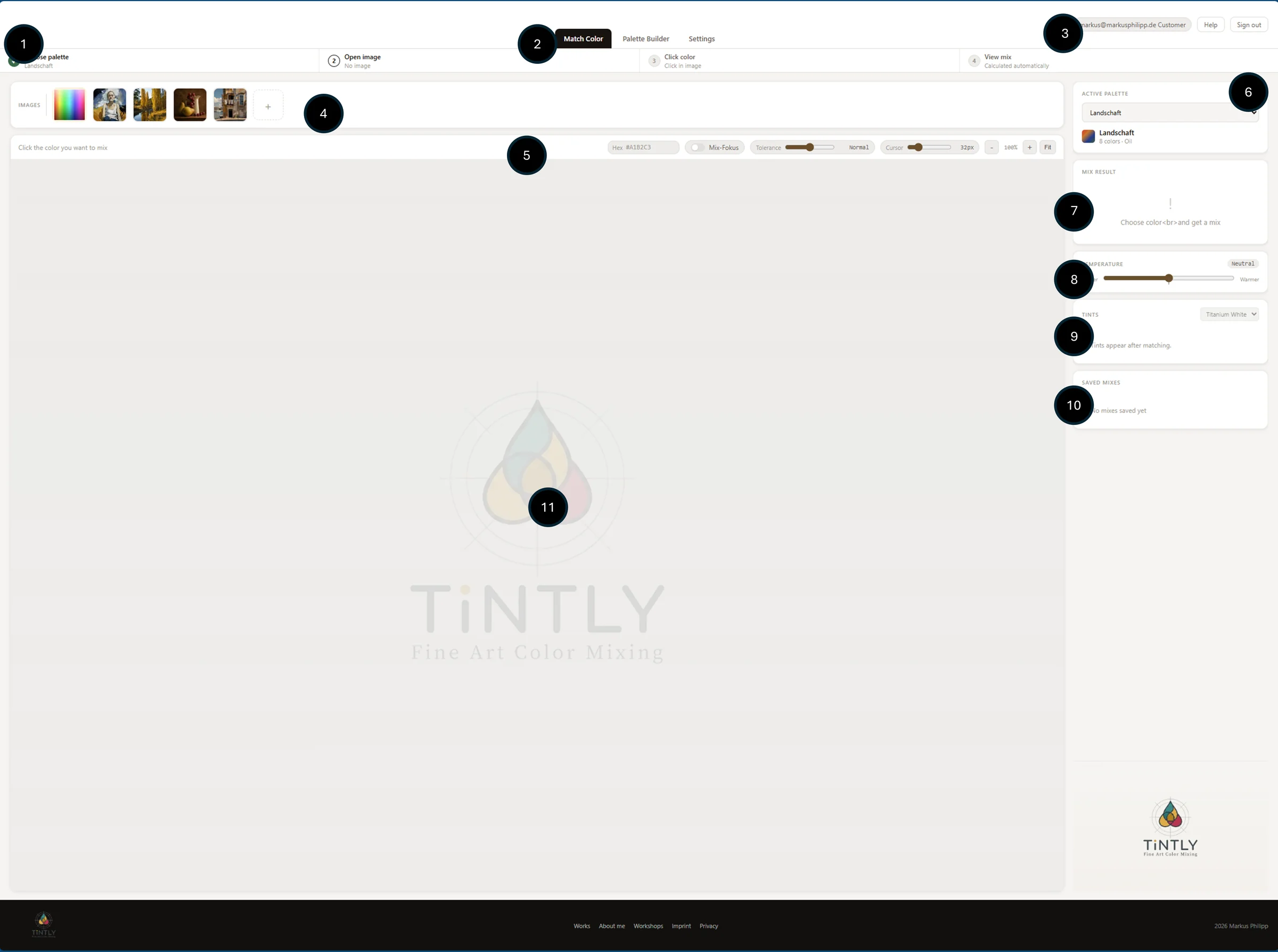
1. Build your palette
Add the paints you actually own. The palette is the base for every match. Start with a few reliable colors.
2. Choose a color
Upload a reference image and click the color you want to mix. Or use the spectrum to pick freely.
3. Read the recipe
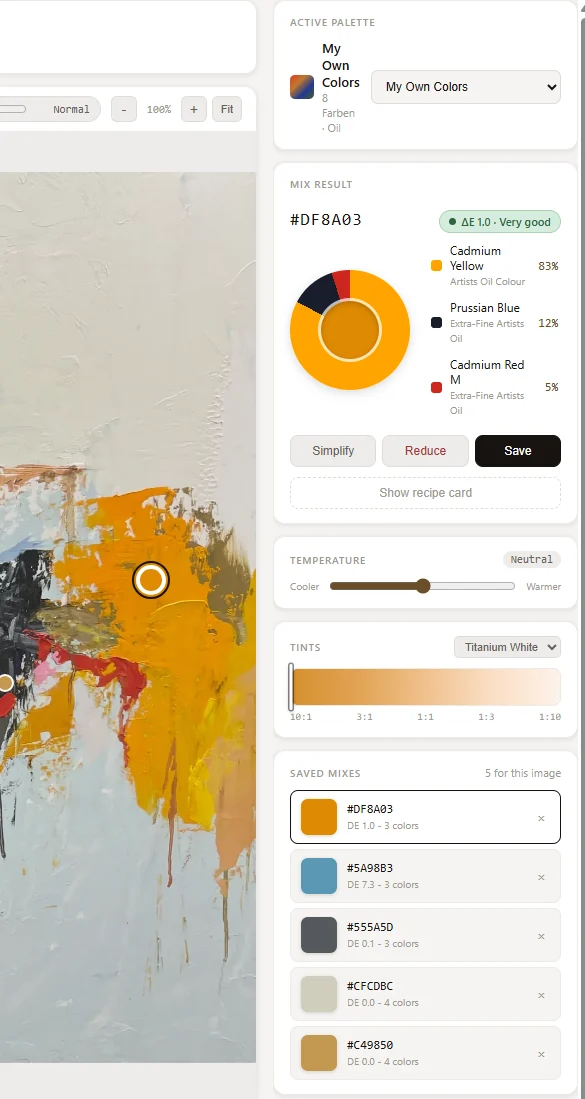
The pie chart shows how much of each pigment goes into the mix - in parts or percentages.
The interface, step by step.
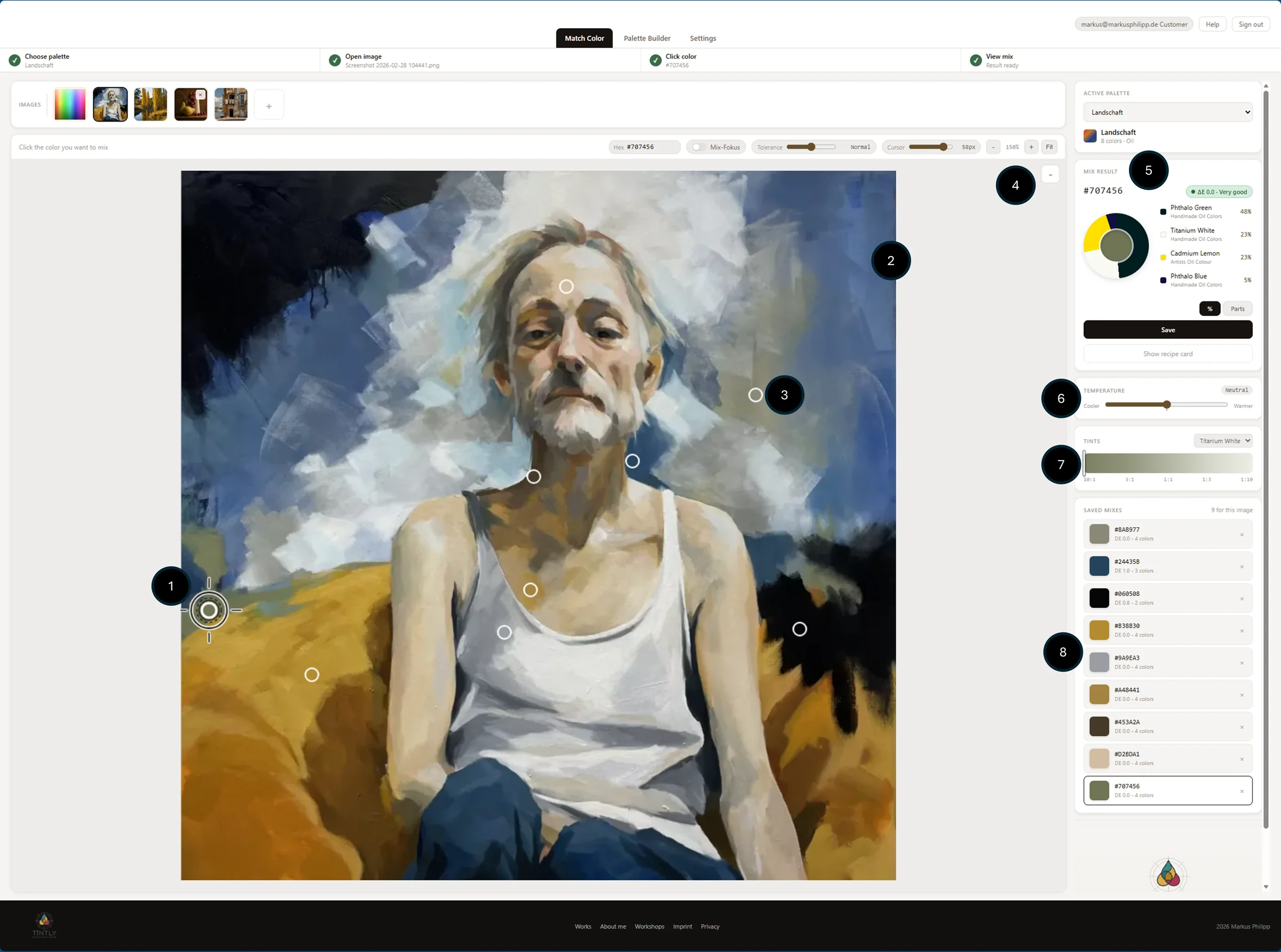
Color matching
Click any pixel in your image. TiNTLY instantly calculates the closest recipe from your palette.
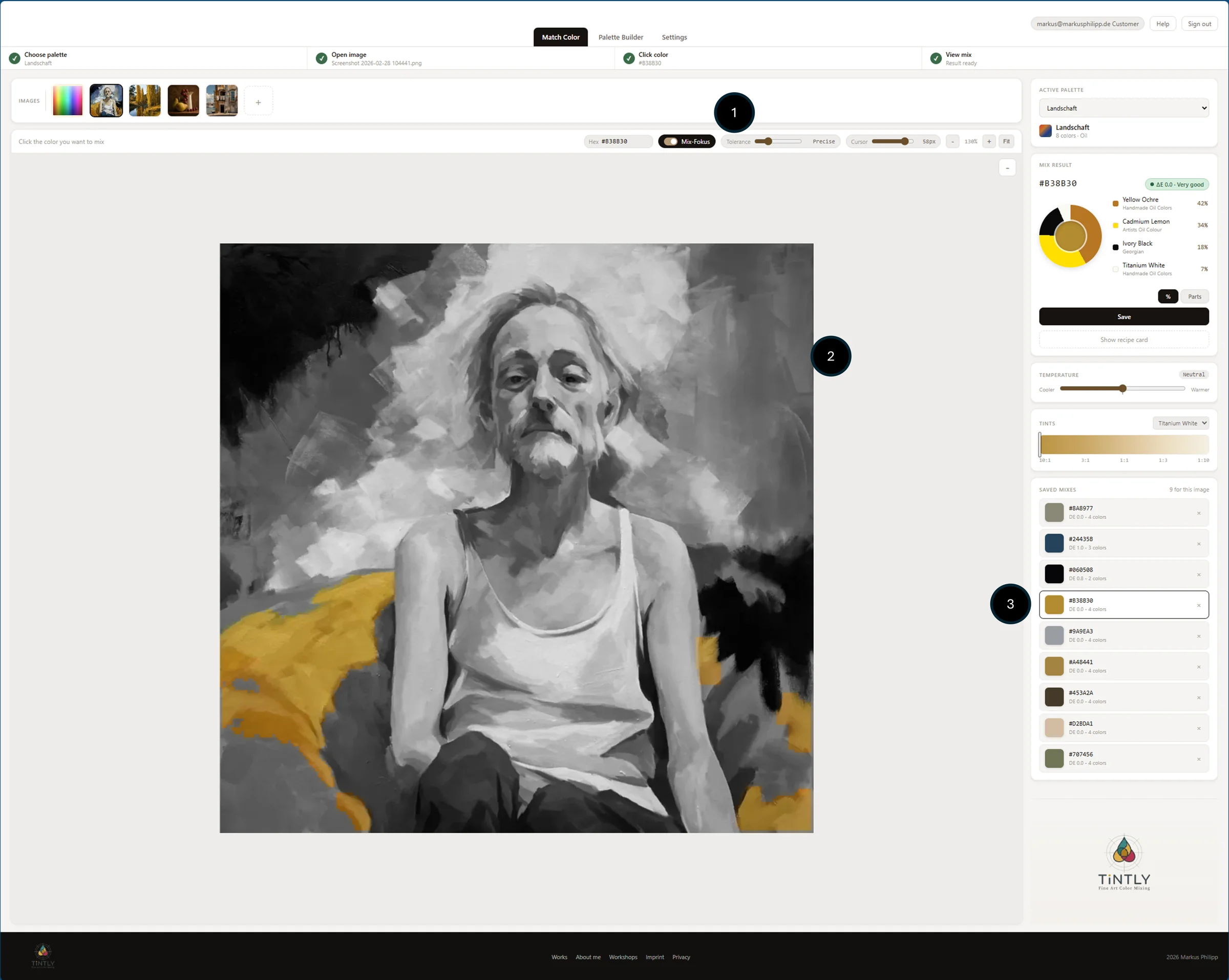
Mix focus
The focus view shows a detailed breakdown: each pigment, its proportion, and the expected result.
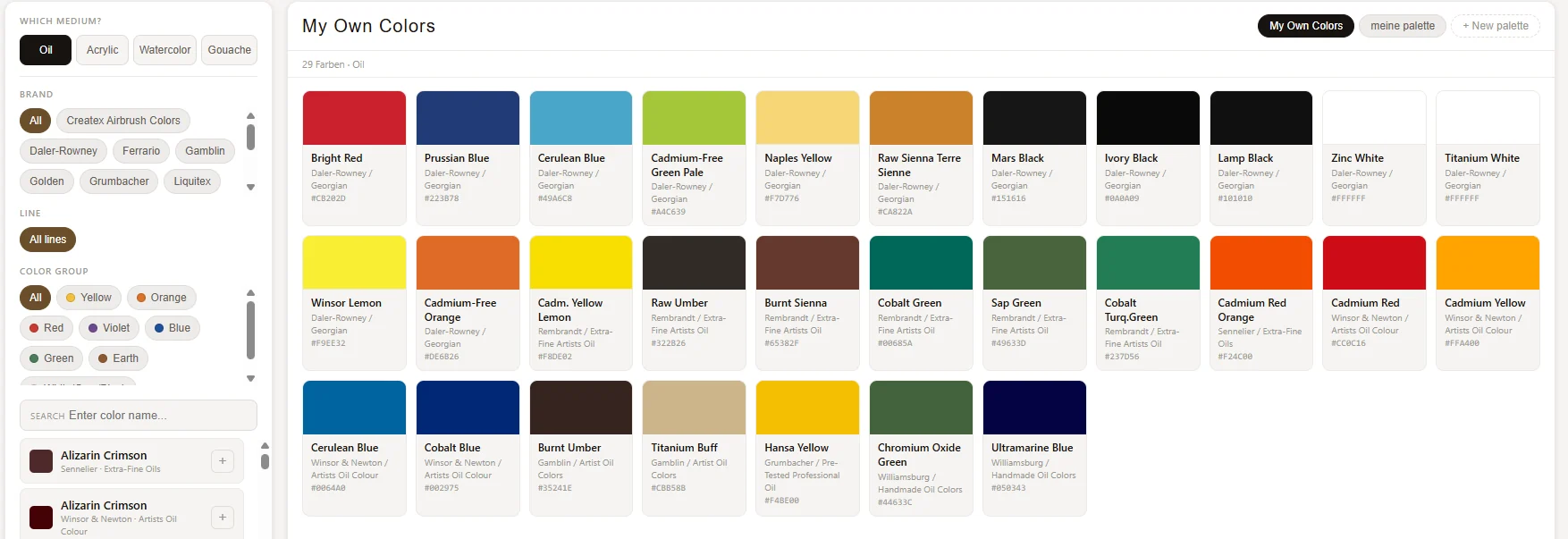
Palette builder
Manage all your paint tubes in one place.
Recipe card
Export or print the recipe for the palette.
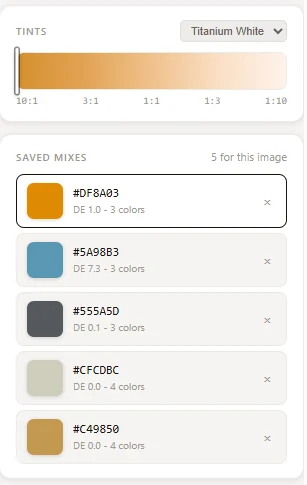
Saved mixes
All your mixes stay attached to the image.
Works on your device.
Recommended browsers
Use the latest version of Chrome, Firefox, Edge, or Safari — no plugins or extensions needed.
Operating systems
Runs on any OS that supports a modern browser — nothing to install.
Tested devices
Desktop and laptop give the best experience. Tablet works fully. Smartphone is supported, but less comfortable for detailed work.
Add to your home screen
TiNTLY is a web app — no download, no App Store. Install it directly from your browser for a native-like experience.
- iPhone & iPad: Open in Safari → tap the Share icon → "Add to Home Screen"
- Android: Open in Chrome → tap the menu → "Install app"
- Desktop (Chrome or Edge): Look for the install icon in the address bar
The complete TiNTLY guide.
Before mixing colors, tell TiNTLY which paints you own. Learn to set up your first digital palette.
Brands, lines, and colors currently known by TiNTLY.
This overview is generated from the current TiNTLY paint database. Color names remain in English so pigment references stay consistent across languages.
If the docs do not answer it, start with the trial.
You can send a message from the form, or simply explore TiNTLY with your own palette and see how the workflow feels in practice.
- Use the same trial flow as on the landing page
- See the product with your own paints in mind
- Ask for help without losing your place in the workflow